Product identity
- product_url
- walmart_item_id
- sku
- product_title
- brand
- category_path
Walmart Product Analytics Data
Nenodata provides Walmart Data Scraping Services for Product Analytics that turn public product, price, seller, rating, and availability signals into structured datasets for reporting.
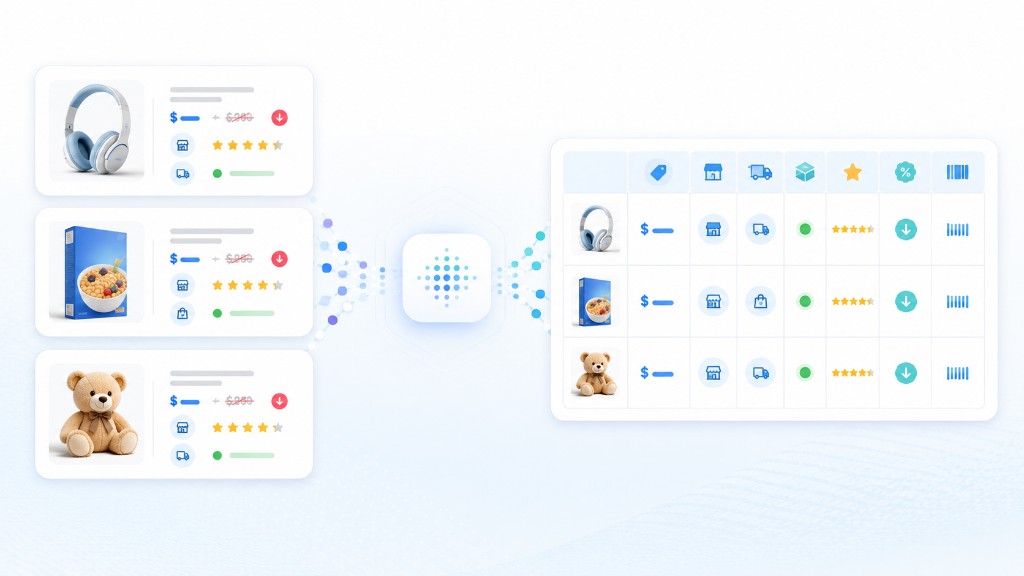
Walmart product pages can change by seller, rollback, product variation, fulfillment method, availability, and promotional context. A value copied into a spreadsheet this morning may no longer represent the visible offer when a pricing, category, or analytics team reviews it later.
Manual collection becomes especially difficult when teams need to monitor hundreds or thousands of items, compare Walmart first-party and third-party marketplace sellers, preserve historical snapshots, or repeat the process across categories. Basic scripts create a different problem: layouts change, fields become inconsistent, and maintenance consumes engineering time.
Product analytics workflows need more than retrieving a number from a page. Teams need relevant offer context, stable field definitions, consistent collection schedules, and output that can move directly into reporting, dashboards, and downstream analysis.
For multi-source pricing analysis, see our price intelligence solutions. For catalog extraction across multiple platforms, explore ecommerce data extraction.
Illustrative monitoring flow
Example values are illustrative only and are not real Walmart observations.
Product record
RUN 01
Change detected
RUN 02
Nenodata helps businesses collect structured public Walmart product, search, category, seller, rating, and availability information through a managed extraction workflow. You provide the target URLs, item IDs, keywords, categories, or monitored product set. The workflow collects the agreed fields and returns them in a consistent structure.
Depending on the project scope, the output can include current and list prices, currency, rollback and promotional indicators, Walmart item IDs, SKUs, brands, seller names, seller type, fulfillment options, product categories, stock status, ratings, review counts, and marketplace signals where publicly displayed.
Collected records are organized into the schema agreed during setup. Projects can support one-time collection or recurring delivery on a schedule confirmed during scoping. Private, account-protected, restricted, or personal information should remain outside the project scope.
Project scope
Inputs
Fields
Delivery
Walmart page
Field extraction
Structured record
CSV / JSON

| Field group | Example fields |
|---|---|
| Product identity | product_url, walmart_item_id, sku, product_title, brand, category_path |
| Pricing | current_price, list_price, rollback_flag, discount_text, currency |
| Seller and fulfillment | seller_name, seller_type, fulfillment_method, shipping_option |
| Availability | stock_status, pickup_available, delivery_available, store_context |
| Ratings | average_rating, review_count, rating_distribution |
| Collection metadata | collection_date, source_url, input_type, notes |
Product identity
Pricing
Seller and fulfillment
Availability
Ratings
Collection metadata
Illustrative CSV-style field list
collection_date
source_url
input_type
product_url
walmart_item_id
sku
product_title
brand
category_path
current_price
list_price
rollback_flag
discount_text
currency
seller_name
seller_type
fulfillment_method
shipping_option
stock_status
pickup_available
delivery_available
store_context
average_rating
review_count
{
  "collection_date": "YYYY-MM-DD",
  "source_url": "Example public URL",
  "input_type": "Example input type",
  "product_url": "Example public URL",
  "walmart_item_id": "Example item ID",
  "sku": "Example SKU",
  "product_title": "Example product",
  "brand": "Example brand",
  "category_path": "Example category path",
  "current_price": "Example value",
  "list_price": "Example value",
  "rollback_flag": "Example flag",
  "discount_text": "Example text",
  "currency": "Example currency",
  "seller_name": "Example seller",
  "seller_type": "Example type",
  "fulfillment_method": "Example method",
  "shipping_option": "Example option",
  "stock_status": "Example status",
  "pickup_available": "Example value",
  "delivery_available": "Example value",
  "store_context": "Example context",
  "average_rating": "Example value",
  "review_count": "Example value",
  "notes": "Illustrative sample only"
}CSV, Excel, JSON, API-ready structures, or database/cloud-ready formats depending on confirmed scope
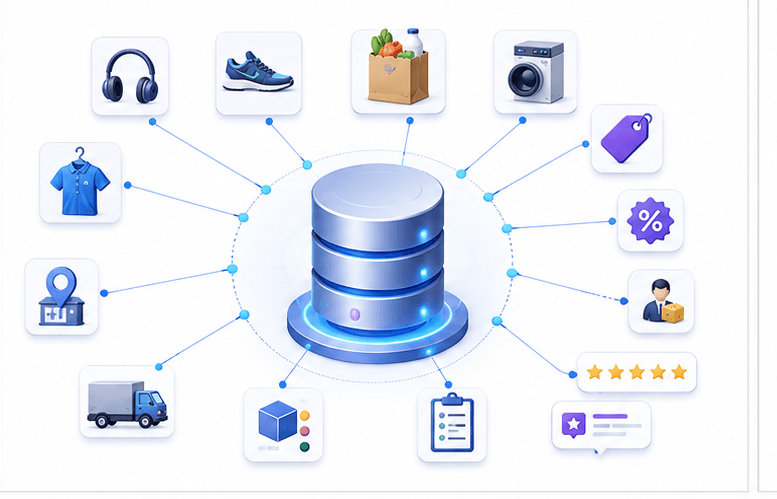
Pricing analysts cannot respond to changes they discover days late. A scheduled feed brings current prices, rollbacks, seller details, and availability into one dataset for comparison and pricing response decisions.
Structured product, price, seller, and rating fields support recurring reports that compare listing performance across categories, brands, and monitored product sets.
Keyword- or category-based collection can organize titles, brands, price ranges, ratings, review counts, sellers, and promotional signals into a dataset for assortment review.
When Walmart first-party and third-party marketplace sellers compete on the same product, seller-level fields provide a clearer record of who is offering an item and how the offer changes between collection runs.
Ratings, review counts, and availability signals where publicly displayed can support product analytics and competitive benchmarking once field availability is confirmed during scoping.
Category-based datasets help teams study price ranges, brand presence, seller mix, and listing signals across a defined Walmart category or keyword set.
Structured CSV, JSON, Excel, or API-ready records make it easier to load recurring Walmart information into spreadsheets, databases, warehouses, and BI workflows.
This service is suited to ecommerce brands, marketplace sellers, manufacturers, pricing analysts, category managers, research firms, and BI teams that depend on current public Walmart product analytics data.
The strongest fit is a team with defined products, categories, fields, and reporting questions that depend on regularly refreshed public marketplace data—without dedicating internal engineering capacity to maintaining a dedicated collection workflow.
Share the target product URLs, Walmart item IDs, keywords, categories, required fields, preferred output, and refresh frequency. Nenodata uses these requirements to define the collection scope and proposed schema.
Nenodata sets up the extraction workflow around the agreed input model. Targets may be supplied as individual product URLs, item ID lists, search terms, categories, or a recurring monitored product set.
Collected records are organized into consistent fields, standardized where appropriate, and reviewed for completeness. Duplicate records can be reduced before the dataset is prepared for analysis or integration.
Receive the output as CSV, JSON, Excel, an API-ready structure, or a cloud- or database-ready file. Delivery can be one-time or scheduled on a daily, weekly, or custom cycle.

The project starts with the products, categories, fields, and reporting questions that matter to your team—not a fixed generic export containing columns you do not use.
Outputs are organized for analysis and downstream workflows. Your team can define naming conventions, required identifiers, data types, and the structure expected by its reporting or storage systems.
Begin with product URLs, Walmart item IDs, keywords, categories, or an existing monitored list. This makes the service suitable for focused product sets as well as broader research workflows.
Use a single extraction for a defined analytics project or establish recurring collection for ongoing product price monitoring, seller analysis, and reporting.
Nenodata manages the configured extraction workflow and data-delivery process, allowing internal engineering and analytics teams to focus on how the information will be used.
Collection should be limited to publicly available information relevant to the agreed business purpose. Private, account-protected, restricted, or personal information should not be included in the project scope.
Explore enterprise web scraping.
Structured Walmart data
Delivery layer
CSV / Excel
JSON
API-ready
Database / Cloud
Spreadsheets
Databases
Warehouses
BI workflows
Use spreadsheets for manual review, category analysis, ad hoc reporting, and collaboration with commercial and analytics teams.
Receive nested or flat JSON suited to engineering workflows, application processing, internal tools, or transformation pipelines.
Define records and field types so the dataset can be consumed programmatically. Confirm during scoping whether your project requires structured file delivery, a payload specification, or another integration method.
Prepare output for loading into a database, warehouse, or cloud-storage location once formats and destinations are confirmed during scoping.
Organize recurring Walmart datasets for dashboards, reporting environments, and downstream analytics pipelines using a schema confirmed during scoping.
Contact Nenodata to scope delivery formats, cadence, and reporting workflow fit.
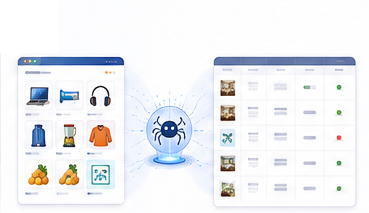
Nenodata can scope Walmart product, pricing, seller, fulfillment, availability, rating, and review-related fields where they are publicly visible and technically available. Field availability may vary by page type, listing state, variation, seller context, location context, and project scope.
Yes, variation and seller context can be included when those details are visible and in scope.
You can provide Walmart product URLs, item IDs, keywords, categories, product groups, or other agreed inputs.
Delivery can be scoped as a one-time extraction or as a recurring feed on a daily, weekly, or custom schedule.
Supported delivery formats can include CSV, Excel, JSON, API-ready structures, and cloud/database-ready files, based on the confirmed project scope.
Nenodata projects should be limited to publicly available information and should not include private, account-protected, restricted, or personal information. Legal requirements can vary by use case, jurisdiction, data type, and collection method, so elevated-risk projects should be reviewed by qualified legal counsel.
Yes. Custom fields can be discussed during scoping, especially for product attributes, seller details, pricing signals, availability states, rating fields, review fields, and catalog context.
Request a free sample and include your Walmart URLs, item IDs, keywords, categories, required fields, preferred delivery format, estimated volume, and refresh cadence.
Request a representative Walmart sample for product analytics reporting. Nenodata will review your scope, confirm available fields, and prepare next steps for a structured dataset.
Include target URLs or item IDs, keywords, categories, required fields, estimated volume, preferred format, and refresh frequency.
Project request inputs
Tell us what you need. We'll build a custom scraping solution and deliver a free proof-of-concept within 48 hours.