Property
- Address or approximate location
- Property type
- Floor area
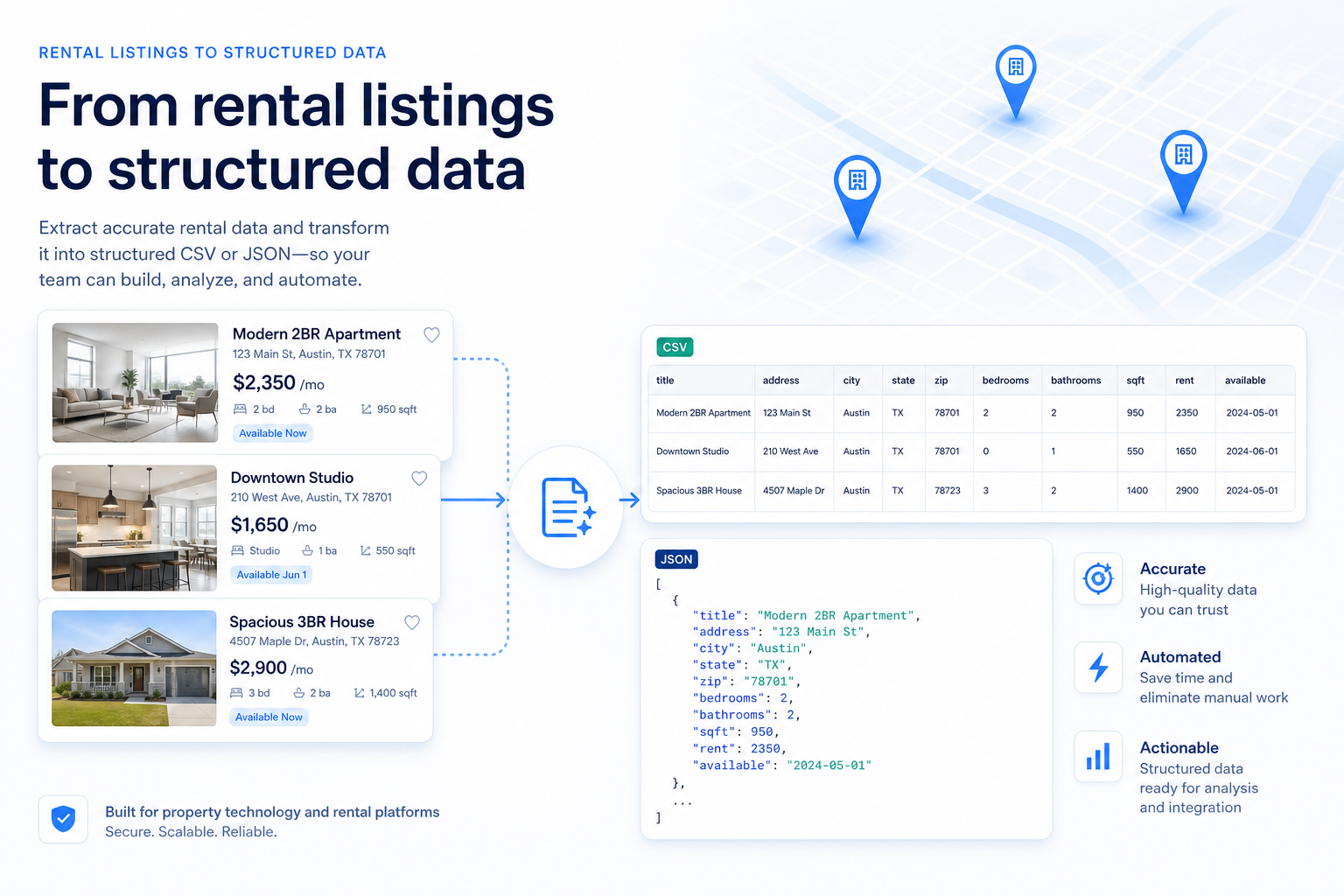
Rental property data scraping converts publicly available or permissioned listing information into structured records for search products, market analysis, monitoring, reporting, and internal data systems.
Why rental data needs structure
The difficult part is rarely extracting one advertised rent. Reliable rental data requires source scoping, consistent field definitions, timestamps, validation, duplicate handling, and a clear distinction between asking rent and the amount eventually agreed in a lease.
How Nenodata approaches it
Nenodata helps real estate, PropTech, investment, and analytics teams assess approved property sources and plan structured data workflows around their required markets, fields, formats, and refresh needs. Exact source coverage and delivery terms are confirmed during project scoping.
Exact source coverage and delivery terms are confirmed during project scoping.
Explore the Service
Real Estate Data
Rental data scraping collects information displayed on rental-search and property-detail pages and converts it into a consistent format such as CSV, JSON, a database export, or an agreed API schema.
Depending on the source, a structured rental record may include:
Data Schema
The schema should be based on the business decision the data must support.
| Data category | Example fields | Common limitation |
|---|---|---|
| Listing identity | Source, URL, listing ID | IDs may change after reposting |
| Location | Address, city, state, ZIP code | Full addresses may be hidden |
| Pricing | Asking rent, currency, rent period, deposit | Fees and promotional prices may be separate |
| Property details | Type, bedrooms, bathrooms, floor area | Labels and units differ |
| Availability | Status, available date, last observed | A visible listing may still be stale |
| Amenities | Parking, laundry, pets, furnishing | Details may appear only in free text |
| Change history | Previous rent, first observed, status change | Requires recurring collection |
Examples: Source, URL, listing ID
Limitation: IDs may change after reposting
Examples: Address, city, state, ZIP code
Limitation: Full addresses may be hidden
Examples: Asking rent, currency, rent period, deposit
Limitation: Fees and promotional prices may be separate
Examples: Type, bedrooms, bathrooms, floor area
Limitation: Labels and units differ
Examples: Status, available date, last observed
Limitation: A visible listing may still be stale
Examples: Parking, laundry, pets, furnishing
Limitation: Details may appear only in free text
Examples: Previous rent, first observed, status change
Limitation: Requires recurring collection
Nenodata's current real-estate positioning supports scoping property identity, attributes, pricing, source metadata, normalization, validation, and structured delivery where approved sources expose the required information.
01
The record is unusable without them.
02
Useful when available but not required for acceptance.
03
Retained for traceability or troubleshooting.
04
Created through documented normalization or change-detection rules.
Use Cases
Rental platforms need listing records that users can filter and compare consistently. Source values such as three bed, 3 BR, and three-bedroom home may need to map to a common schema without losing the original source value.
Use caseInvestment teams can use observed rental listings to examine advertised rent ranges, competing inventory, availability patterns, property attributes, and listing changes in selected markets. These records should be treated as listing-market observations rather than complete evidence of signed leases or market-wide transactions.
Use caseOperators may compare publicly advertised rents, amenities, unit characteristics, concessions, and availability language across competing properties. Timestamps are essential. A rent displayed without its observation date can quickly become misleading.
Use caseResearch teams may require recurring rental observations by city, ZIP code, bedroom count, property type, or another segment. Consistent historical analysis also requires documentation of source changes, missing observations, and methodology updates.
Use caseA packaged property API may not support every regional portal, custom field, or downstream schema. A custom extraction workflow may be more appropriate when the requirement involves source-specific collection, recurring monitoring, or delivery into an existing application.
Use caseKey Consideration
Rental datasets often become misleading when different rent concepts are combined under a generic rent field.
The price advertised when the listing was observed.
The amount agreed in a signed lease. This may differ from the advertisement because of negotiations, concessions, fees, or changed terms.
A calculated amount that accounts for incentives such as a free month or discounted introductory period.
The amount currently paid under an existing lease, which may have begun before current market conditions.
A modeled value rather than an observed advertisement or signed lease.
Research comparing US online listings with traditional rental datasets found that asking rents represent the active rental spot market and can diverge substantially from rents paid by existing tenants.
A rental dataset should use precise fields such as:
asking_rentrent_periodconcession_textestimated_rentobservation_dateDo not combine these values without retaining their type and source.
Data Workflow
Define the sources and geographic coverage
Start with the exact websites, states, cities, ZIP codes, or property segments required. The review should establish whether the data is publicly displayed or permissioned, whether search and property-detail pages are both needed, how pagination or geographic filters behave, which required fields are visible, whether authentication or access restrictions apply, and whether the intended collection and use require additional review. Named-source support should not be promised before this assessment.
See Trulia property data. For broader extraction capability, see enterprise web scraping.
Approve a sample schema
Before a larger build, define required and optional fields, data types, date and time formats, allowed null values, property-type categories, rent-period rules, listing-status values, source-lineage fields, and delivery format. A useful sample shows real missing values and source inconsistencies rather than presenting an artificially complete record.
Decide whether search pages are sufficient
Search-result pages may expose basic attributes such as rent, bedrooms, location, listing ID, and URL. Individual property pages may contain fuller descriptions, amenities, policies, availability dates, and agent details. Collecting detail pages can improve coverage but also increases the number of requests, processing complexity, and maintenance requirements. The workflow should collect only what the agreed schema needs.
Normalize source values
Common normalization work includes separating currency from rent, standardizing weekly and monthly rent periods, mapping property types, converting bedroom and bathroom values, separating address components, standardizing area units, mapping amenity synonyms, preserving original source values, and assigning consistent listing-status labels. Derived values should include a documented rule.
Validate the records
Data quality should be measured through clear acceptance rules rather than an unsupported accuracy percentage. Possible checks include required-field completion, valid numeric formatting, currency identification, source URL retention, listing-ID availability, valid timestamp formats, expected state and ZIP structures, duplicate-candidate flags, unexpected schema changes, and failed or incomplete page records. The final validation criteria should be agreed before production delivery.
Deduplication
Duplicate handling may use combinations of:
Listing A
source_listing_id · address · beds
Matching Engine
Match Result
Listing B
unit · type · rent range
Matching attributes
Review states
Nenodata's Trulia service page states that records may be normalized, deduplicated where applicable, and validated against agreed rules. Exact rental-property matching logic requires internal approval before publication.
Change Monitoring
Recurring observations can help identify newly observed listings, asking-rent changes, status changes, removed records, reappearing listings, and changed property attributes.
A useful monitoring schema may include:
Asking rent history
Illustrative example
first_seen_atlast_seen_atcurrent_asking_rentprevious_asking_rentrent_changed_atcurrent_statusstatus_changed_atsource_listing_idproperty_match_idA missing listing should not automatically be labelled rented. The workflow should define how many unsuccessful observations are required before a record changes status.
Quality Control
Data Quality & Transparency
A portal may represent one city or property segment better than another. Records from one website should not be described as the complete rental market. Research has found that online rental listings can unevenly represent communities and market segments, which can affect conclusions drawn from listing data.
Multiple advertisements may refer to the same property. Research on online housing advertisements has identified duplicate ads as a material source of distorted housing-supply measurements.
A listing that remains visible is not proof that the property remains available. Timestamps and repeated observations improve interpretation but do not prove a completed or failed lease.
Some sources publish only a neighborhood, approximate location, or partially hidden street address. Geocoding should not create false precision beyond what the source supports.
Source layouts, identifiers, geographic filters, and field availability can change. Longitudinal datasets should record changes in collection and normalization methods.
Delivery Options
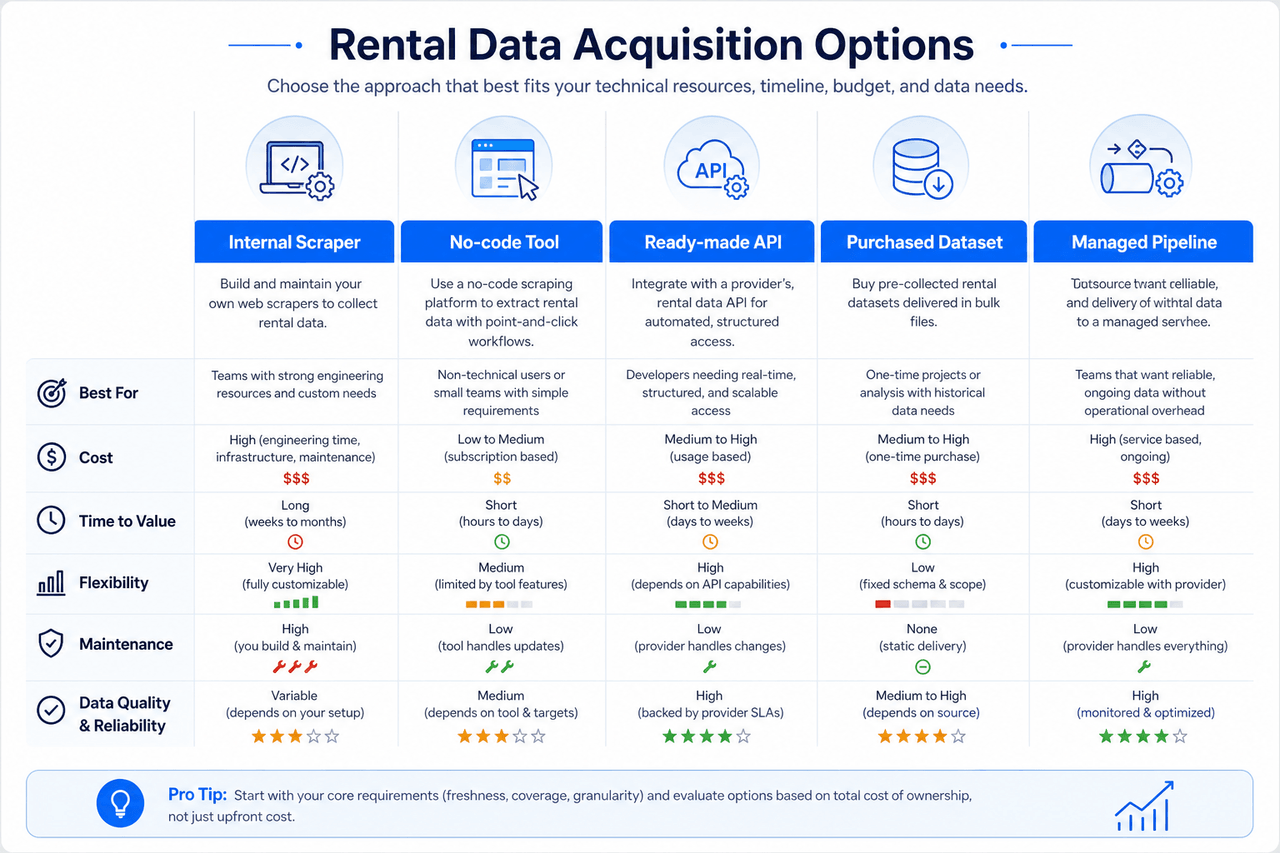
| Approach | Suitable when | Main limitation |
|---|---|---|
| Internal scraper | The team has engineering capacity and stable sources | Continuing maintenance remains internal |
| No-code tool | The requirement is small and technically simple | Complex exception handling can become difficult |
| Ready-made API | Required geography and fields already exist | Schema and source coverage may be fixed |
| Purchased dataset | The provider's coverage and refresh cycle fit | Data may not match custom requirements |
| Managed pipelineCustom | Sources, fields, monitoring, or delivery are customized | Requires feasibility and commercial scoping |
Suitable when: The team has engineering capacity and stable sources
Limitation: Continuing maintenance remains internal
Suitable when: The requirement is small and technically simple
Limitation: Complex exception handling can become difficult
Suitable when: Required geography and fields already exist
Limitation: Schema and source coverage may be fixed
Suitable when: The provider's coverage and refresh cycle fit
Limitation: Data may not match custom requirements
Suitable when: Sources, fields, monitoring, or delivery are customized
Limitation: Requires feasibility and commercial scoping
A managed workflow is most relevant when the buyer needs:
See the Real Estate API, MLS listing data workflows, real estate data intelligence, and compare real estate data providers pages for related options. Short-term vacation inventory is covered separately on vacation rental data scraping.
Send the sources and fields you need to determine whether a custom pipeline is appropriate. Discuss your data requirements.
Data Governance
Every rental-data project should begin with a review of the sources and intended use. Questions to resolve include:
Nenodata's current Trulia page frames its service around approved public or permissioned sources and does not claim unrestricted marketplace access, private-data access, or guaranteed legal compliance.
Project Scoping
To assess a project, provide:
Sources
Data
Scale
Delivery
Context
Nenodata can use these requirements to review feasibility, define the schema, and prepare a representative sample where appropriate.
Related Services
Pair US property listing workflows with rental-market monitoring, Zillow-specific extraction, or AI dataset programs as needed.

Structured rent, availability, and listing-market feeds for proptech and research teams.
View service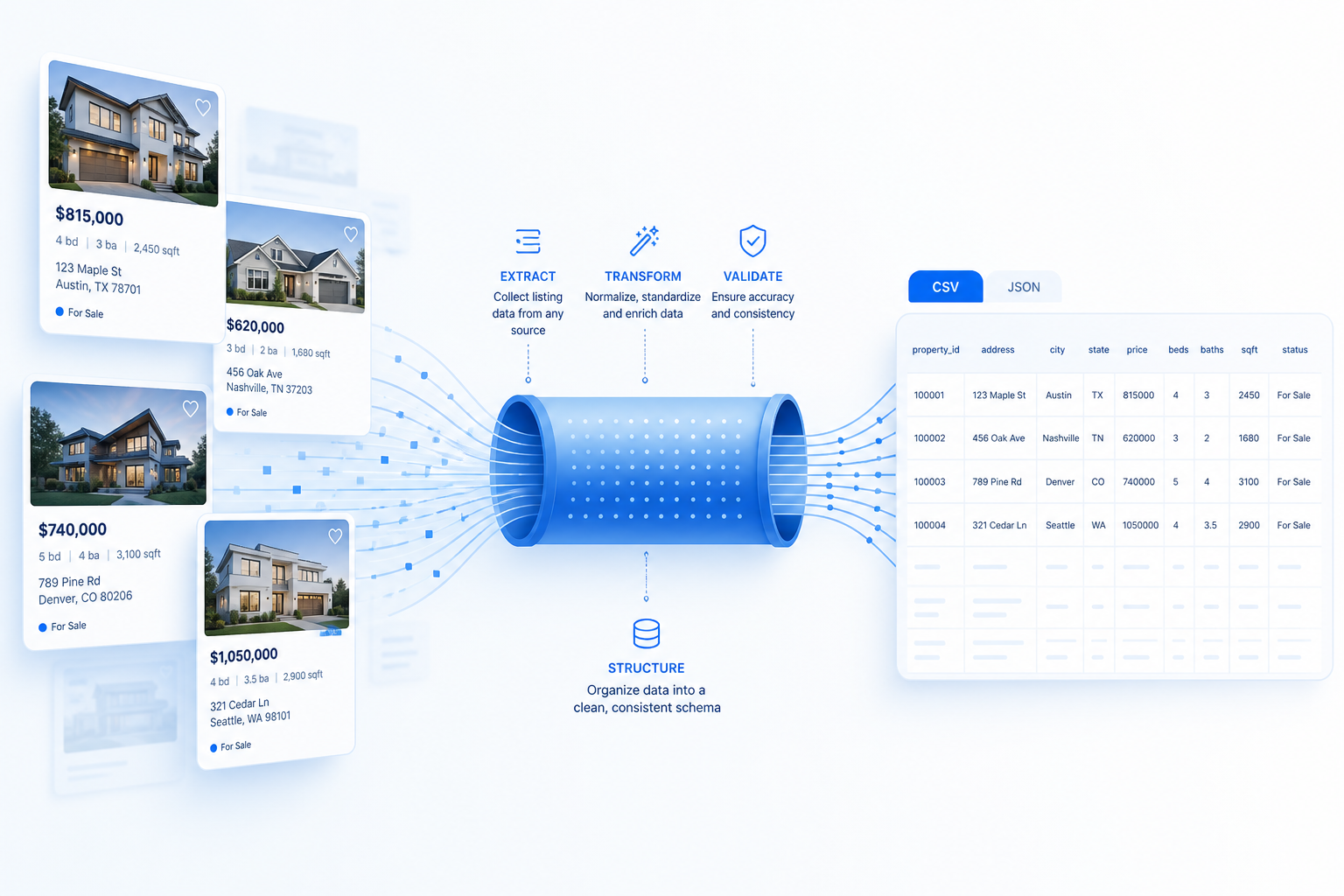
Structured Zillow property records, normalized fields, and monitoring-ready delivery.
View service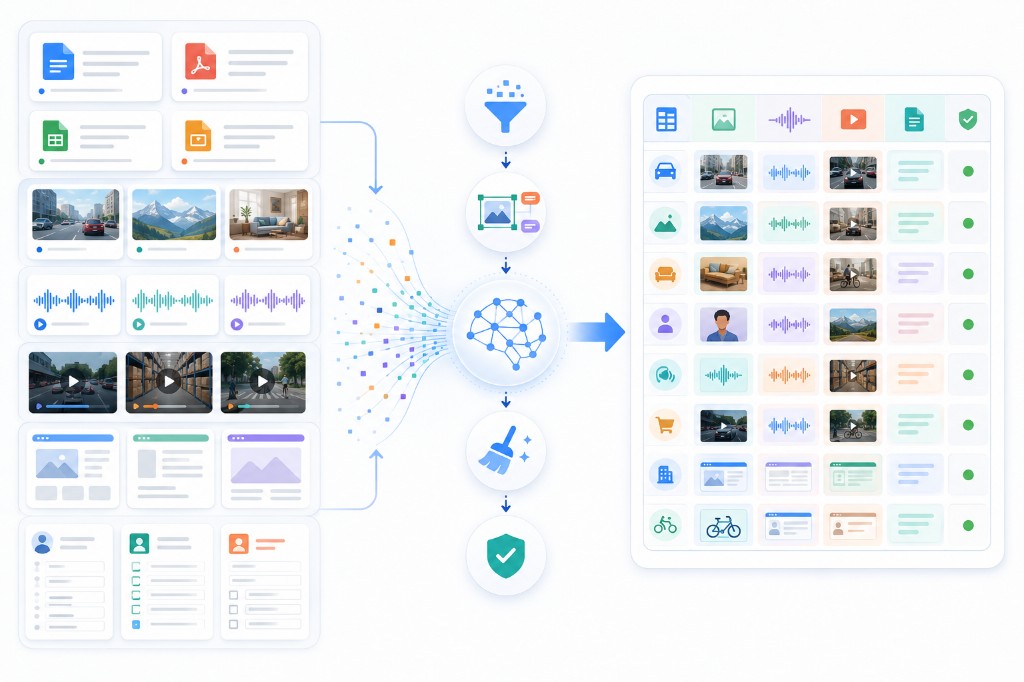
Convert approved web sources into consistent, traceable datasets for training and evaluation.
View serviceConversion
A source-specific sample is more useful than a generic demonstration because it reveals actual field availability and data-quality constraints. Use the sample to evaluate:
Send Nenodata your target sources, geographic coverage, required fields, expected volume, refresh needs, and preferred output format.
Or contact Nenodata to discuss your data requirements.
FAQ
No universal source guarantee should be made. Each source must be reviewed for accessibility, visible fields, geographic behavior, restrictions, permission requirements, and technical feasibility.
No universal source guarantee should be made. Each source must be reviewed for accessibility, visible fields, geographic behavior, restrictions, permission requirements, and technical feasibility.
Recurring observations can be scoped where the source and project requirements support them. The output may retain current and previous asking rents with observation timestamps. Exact cadence must be confirmed during scoping.
API-oriented delivery, files, or scheduled feeds may be scoped depending on the approved workflow. Endpoint design, authentication, fields, and cadence must be confirmed for the engagement.
Potential duplicates can be evaluated through available identifiers and normalized property attributes. Uncertain cases should be flagged instead of being presented as perfect matches.
Not necessarily. Asking rent is an advertised amount. A signed or effective rent can differ because of negotiations, incentives, fees, timing, or lease terms.
A representative sample should be used to confirm source feasibility, field availability, schema design, null handling, and delivery requirements before a larger implementation.
Tell us what you need. We'll build a custom scraping solution and deliver a free proof-of-concept within 48 hours.