- Unified field
- name
- Best Buy
- Anker Soundcore Life Q30
- Walmart
- Soundcore Life Q30 Headphones
- Target
- Anker Q30 Wireless Headphones
- Illustrative rule
- Trim and map to common name
Data Aggregation and Pipeline Services
Multi-Source Data Aggregation: One Schema From N Sources
Nenodata’s Multi-Source Data Aggregation Services collect data from agreed external and customer-authorized sources, map it into a common schema, apply defined quality rules, and deliver a structured dataset or recurring feed.
For ETL pipeline design, see custom data pipelines. For catalog schema alignment, see catalog data harmonization. For record matching across entities, see AI entity resolution. For category hierarchy crosswalks, see product taxonomy mapping.
Agreed source listsDefined quality rulesDownstream-ready outputs
Illustrative example
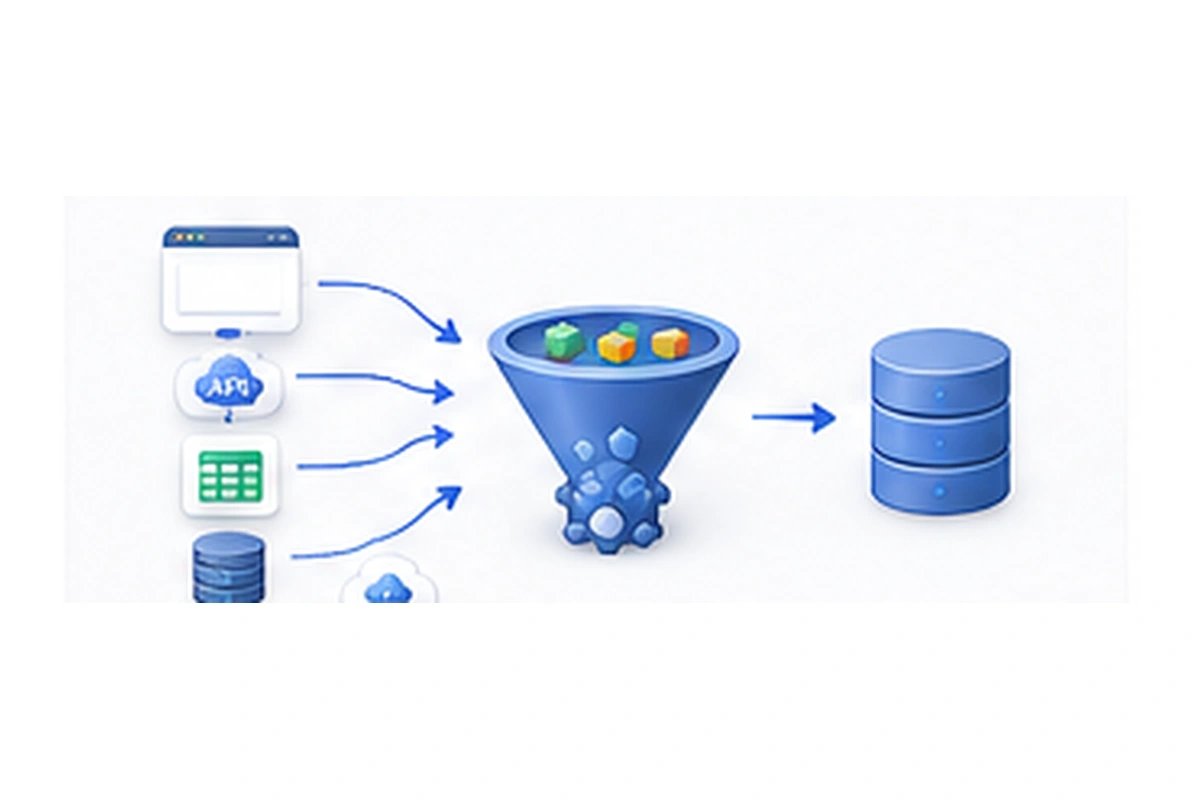
Fragmented Sources Create Repetitive Data Work
When product, pricing, listing, or company data lives across websites, files, and systems with different field names, teams repeat the same mapping and cleanup work for every report or product update.
Manual spreadsheets and one-off scripts drift as sources change, creating conflicting identifiers, duplicate records, and incomplete coverage.
Without a defined mapping, validation, and delivery workflow, each new source adds more operational work instead of a reusable dataset.
What Our Multi-Source Data Aggregation Services Include
Nenodata scopes an agreed source list, output schema, quality rules, and delivery format before collection begins. Inputs may include approved public sources and customer-authorized inputs when they are technically feasible for the project.
Workflows typically cover collection, field mapping, normalization, record matching, deduplication, validation, exception handling, and source attribution according to rules defined during scoping.
Outputs can be delivered as a structured dataset or recurring feed. Ongoing monitoring and source maintenance are included where included in scope, not by default.
This service focuses on combining and normalizing agreed sources into one schema—not building a full ETL pipeline product, catalog taxonomy design, or one-time data cleaning alone. Those workflows are scoped separately when needed.
Related: custom data pipelines, catalog data harmonization, data cleaning and standardization, AI entity resolution, product taxonomy mapping, and Data-as-a-Service.
Aggregation vs DaaS and custom pipelines
Use this page to map several sources into one schema with survivorship rules. Use DaaS when Nenodata owns a recurring feed. Use custom pipelines when you own the workflow.
| Source | Best for | Learn more |
|---|---|---|
| Multi-source aggregation | N sources → one schema, matching, and survivorship rules | This service |
| Data-as-a-Service | Recurring managed feed; you do not run the crawler | DaaS solutions |
| Custom pipelines | You own extraction-to-destination workflow design | Custom pipelines |
Illustrative Source-to-Output Mapping
Illustrative example
- Unified field
- price
- Best Buy
- 79.99 USD (Best Buy)
- Walmart
- 74.95 USD (Walmart)
- Target
- 82.99 USD (Target)
- Illustrative rule
- Normalize currency; keep source price
- Unified field
- identifier
- Best Buy
- 6461323
- Walmart
- 584920183
- Target
- A-845-Q30
- Illustrative rule
- Preserve source ID; map to common key
| Unified field | Best Buy | Walmart | Target | Illustrative rule |
|---|---|---|---|---|
| name | Anker Soundcore Life Q30 | Soundcore Life Q30 Headphones | Anker Q30 Wireless Headphones | Trim and map to common name |
| price | 79.99 USD (Best Buy) | 74.95 USD (Walmart) | 82.99 USD (Target) | Normalize currency; keep source price |
| identifier | 6461323 | 584920183 | A-845-Q30 | Preserve source ID; map to common key |
- Required fields must be present or flagged
- Duplicate identifiers are reviewed against defined matching rules
- Conflicts between sources are resolved by agreed survivorship rules or routed as exceptions
This source-to-output mapping is illustrative. Final sources, fields, and quality rules depend on project scope.
Data operations and outputs
Source collection
Collect from agreed external sources and customer-authorized inputs when technically feasible.
Field mapping
Map differently named source fields into the approved common schema.
Data normalization services
Standardize formats, casing, units, and identifiers according to defined rules.
Record matching
Match related records across sources using identifiers and business rules defined during scoping.
Deduplication
Reduce duplicate rows using exact-match and agreed business-rule logic.
Validation and exceptions
Validate required fields and route unresolved conflicts into an exception path.
Source attribution
Retain source references where lineage is required for the engagement.
Delivery formats
Deliver structured files, API-ready records, or destination-ready outputs when supported by the scoped workflow.
Use cases
Product and Catalog Consolidation
Combine catalog fields from multiple sources into one product schema for merchandising and analytics.
Competitor and Market Monitoring
Aggregate monitored market signals into a consistent dataset for comparison and reporting.
price intelligence solutionsMulti-Marketplace Pricing Datasets
Unify pricing fields across marketplaces with shared identifiers and validation rules.
Property and Listing Aggregation
Normalize listing attributes from multiple sources into one property dataset.
Company and Lead Intelligence
Consolidate company or lead attributes from approved sources into a usable enrichment dataset.
lead generation and enrichmentResearch-Source Consolidation
Combine research inputs into a structured table with shared fields and source attribution.
Supplier and Distributor Catalog Normalization
Map supplier and distributor catalogs into one normalized product or SKU schema.
Data Feeds for Analytics Products
Deliver recurring unified feeds into analytics products when refresh cadence is included in scope.
Who This Service Is For
This service fits teams that need one structured dataset from multiple sources instead of repeating manual mapping and cleanup for every report or product update.
It is practical when sources use different field names, identifiers change over time, and downstream systems need a defined schema with validation and exception handling.
How it works
Four-stage workflow for collecting, validating and delivering unified data.
- 1
Define Sources and Output
Agree the source list, output schema, quality rules, matching logic, and delivery destination.
- 2
Collect and Map
Collect from approved sources and map source fields into the common schema.
- 3
Normalize and Validate
Apply normalization, matching, deduplication, and validation rules, with exceptions routed for review.
- 4
Deliver and Maintain
Deliver the structured dataset or feed. Monitoring and source maintenance continue where included in scope.
Why choose Nenodata
Custom Source Mapping
Field mapping is designed for the sources and schema your workflow needs, not a generic one-size template.
Defined Quality Rules
Validation and matching rules are agreed up front so teams know how data quality will be checked.
Explicit Exception Handling
Unresolved conflicts and missing required fields are flagged instead of silently written into the output.
Maintained Collection Logic
When source structures change, maintenance can be scoped so collection logic stays aligned with the approved workflow.
Downstream-Ready Outputs
Deliverables are shaped for the warehouses, databases, BI tools, files, APIs, or webhooks agreed during scoping.
Integrations and delivery
Destination categories below describe common delivery options. Named platforms and connectors are confirmed during scoping and are not listed as supported by default.
Data warehousesDatabasesBI toolsSpreadsheetsAPIsWebhooksScheduled file delivery
CSV, JSON, Excel, API-ready, database, warehouse, BI, webhook, and scheduled-file delivery apply when they are technically feasible for the engagement.
Related delivery design: custom data pipelines · Data-as-a-Service
Frequently asked questions
Turn Fragmented Inputs Into a Defined Data Workflow
Share the sources you need to combine, the output schema you want, and any known quality or matching requirements.
Include sample sources and the output you need so the project can be scoped accurately.