Source product fields
- Product title where provided
- Product identifier where provided
- Brand where provided
- Variant or bundle indicators where provided
Catalog Classification & Taxonomy Crosswalks
Nenodata maps product records and source-category paths to an agreed target hierarchy, then returns structured, review-ready outputs for catalog, marketplace, PIM, and analytics workflows.
Sample-First Approach
Start with a representative sample to define mapping rules, exceptions, and delivery requirements before rollout.
The Problem
Supplier files, marketplace exports, and internal catalogs rarely share the same category trees, naming conventions, or depth, so merchandising and feed teams spend recurring cycles forcing products into the wrong nodes.
Manual spreadsheet mapping breaks when variants, bundles, and incomplete attributes appear, and it rarely preserves exception reasons that operations can review later.
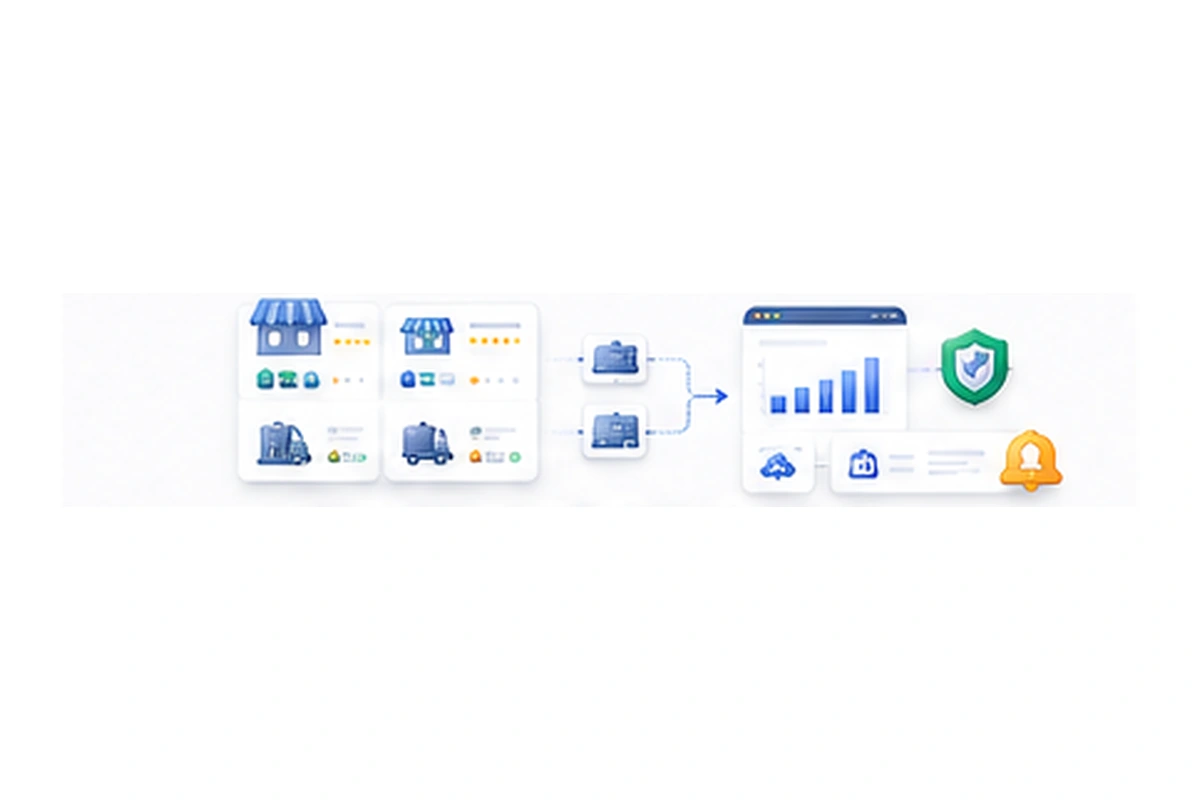
A managed crosswalk starts with the buyer’s target hierarchy, defines mapping rules on a representative sample, and returns structured outputs with visible statuses for mapped and unresolved records.
Supplier Taxonomy
Home
└── Electronics
└── Accessories
Target Taxonomy
Electronics
└── Computers
└── Peripherals
└── Hubs
The Service
Nenodata scopes source product records, source-category paths, the agreed target hierarchy, mapping rules, exception handling, and delivery formats before production mapping begins.
Engagements may include product-level and category-level mapping where confirmed, attribute-assisted classification where available, review statuses for ambiguous records, and structured delivery of mapped outputs for catalog, marketplace, PIM, and analytics workflows.
Service Scope
This service focuses on source-to-target taxonomy crosswalks—not full catalog schema harmonization, open-ended taxonomy design, or multi-source record consolidation. Named standards, marketplace browse trees, and direct system connectors are confirmed during scoping rather than assumed.Mapping Scope
Service Fit
Use this page for category crosswalks (source path → target node). Use catalog harmonization for SKU/schema cleanup. Use data cleaning for nulls and in-file dedupe.
Source category path → target hierarchy + mapping_status
Clean, normalize, and dedupe product records into a schema
One-dataset schema mapping, nulls, and in-file deduplication
Illustrative example
The example shows how source product and category values can map into a target hierarchy with explicit mapping statuses and exception notes.
Illustrative taxonomy crosswalk with mapped, review-required, and exception product records.
Source
Audio > Headphones > Over-Ear
Mapping Rule
Approved crosswalk
Target
Electronics > Audio > Headphones
Status
Mapped
Swipe horizontally to review all crosswalk columns.
| source_product | source_category_path | target_category_id | target_path | mapping_status | exception_note |
|---|---|---|---|---|---|
| Anker Soundcore Life Q30 Headphones | Audio > Headphones > Over-Ear | CAT-2201 | Electronics > Audio > Headphones | Mapped | — |
| Kitchen Starter Bundle | Home > Misc | — | — | Review required | Bundle spans multiple target nodes |
| Anker 7-Port USB Hub | Electronics > Accessories | CAT-8810 | Computers > Peripherals > Hubs | Mapped with note | Attribute used to refine path |
| Unlabeled warehouse SKU | — | — | — | Exception | Missing source category and product type |
Record meets the agreed mapping rules.
Record needs human review before acceptance.
Record is mapped with an accompanying reviewer note.
Record cannot be mapped safely under current rules.
Schema & Outputs
Field availability depends on the approved source data and target hierarchy. Delivery structure is confirmed during scoping.
Scenarios
SUPPLIER → TARGET TAXONOMY
Operations teams receive supplier category trees that do not match the internal hierarchy and need a reviewable crosswalk before products enter the shared catalog.
INTERNAL → MARKETPLACE
Channel teams align internal products to marketplace category expectations so listings can be prepared without forcing unsupported nodes.
PIM OLD TREE → NEW PIM TREE
Catalog teams migrating into a new PIM model need source paths mapped to the target structure with exceptions kept visible.
SOURCES → SHARED STRUCTURE
Analytics teams need a shared category structure before assortment and pricing comparisons can run across sources that relate to price intelligence workflows.
SUPPLIERS → ONE TAXONOMY
Merchandising teams consolidate products from multiple suppliers into one target taxonomy without silently overwriting uncertain records.
RESEARCH → CATEGORY NODES
Category teams preparing Amazon or retail expansions can reuse structured product context from Amazon seller and offer data when collection and mapping are scoped together.
NEW SKU → CATEGORY NODE
Catalog operations need recurring mapping for new products when maintenance is included, instead of rebuilding spreadsheet rules each cycle.
Audience
This service is for catalog, merchandising, ecommerce, marketplace, PIM, and analytics teams that need product records mapped into an agreed target hierarchy.
It fits retailers, brands, distributors, and marketplaces reconciling supplier or multi-channel category structures.
Scope & Expectations
It is not positioned as unrestricted taxonomy strategy, automatic marketplace acceptance, or guaranteed feed approval for every destination.Built for
Four-step workflow from source catalog and target taxonomy to mapped output and maintenance.
Provide representative product records, source-category paths, the target hierarchy, known edge cases, and the destination that will consume the mapped output.
Agree mapping rules, status labels, exception handling, and review a representative pilot before broader rollout.
Apply the approved rules, validate required fields, and keep ambiguous or unsupported records visible for review.
Deliver structured mapped records through the confirmed format and maintain the workflow when recurring updates are included in scope.
Why Nenodata
Mappings follow the hierarchy your catalog, marketplace, PIM, or analytics workflow expects rather than a generic template.
A pilot sample validates feasibility, exception volume, and rule quality before wider production mapping begins.
Ambiguous and incomplete products are returned with review or exception statuses instead of being forced into incorrect nodes.
Output fields and delivery formats are agreed early so mapped records fit the systems that will consume them.
Related collection and delivery can be scoped with ecommerce data solutions or custom data pipelines when both preparation and destination loading are required.
New-SKU mapping and taxonomy-change remediation are included only when recurring maintenance is confirmed for the engagement.
Delivery
Delivery formats are confirmed during scoping. Common categories discussed include CSV, Excel, and JSON, with API-ready, database-ready, warehouse-ready, webhook, or scheduled delivery included only when confirmed for the engagement.
Source product collection can be combined with enterprise web scraping. Related retail datasets and destination loading can use ecommerce data solutions or custom data pipelines when both preparation and delivery are in scope. Named PIM or marketplace connectors are not implied unless separately confirmed.
FAQ
Next Step
Share source product records, source-category paths, your target hierarchy, and delivery preferences. Nenodata will review feasibility before broader mapping begins.
Include representative catalog samples, the target taxonomy, known edge cases, preferred format, and whether mapping should be one-time or recurring when you contact Nenodata.
Project Checklist