LoopNet Business Listings Scraper for Structured CRE Data
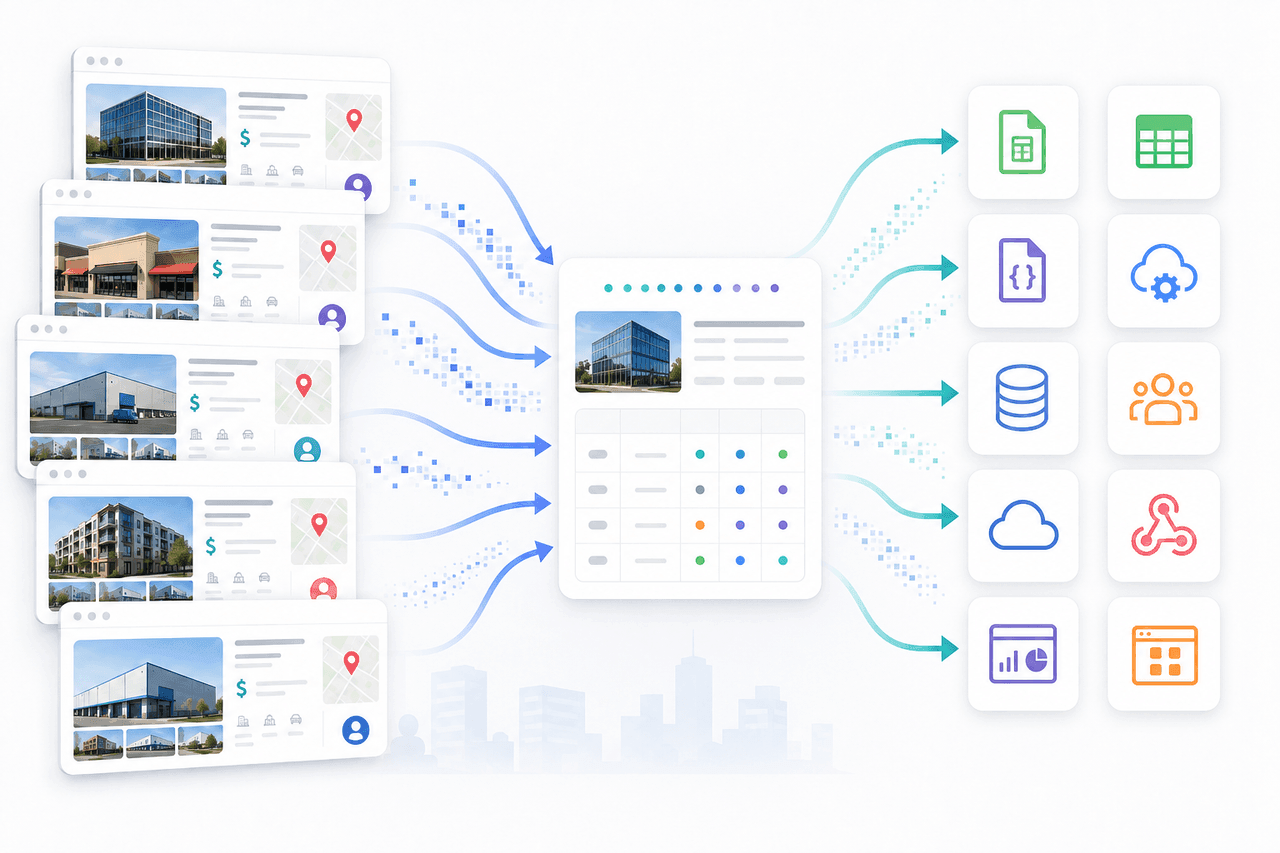
Nenodata scopes and manages a LoopNet Business Listings Scraper workflow that turns agreed public or permissioned commercial-property listing pages into structured records for deal screening, market monitoring, comparable research, and delivery into proptech and research systems.
- Approved public or permissioned sources
- Schema mapped to your workflow
- Structured delivery for CRE teams
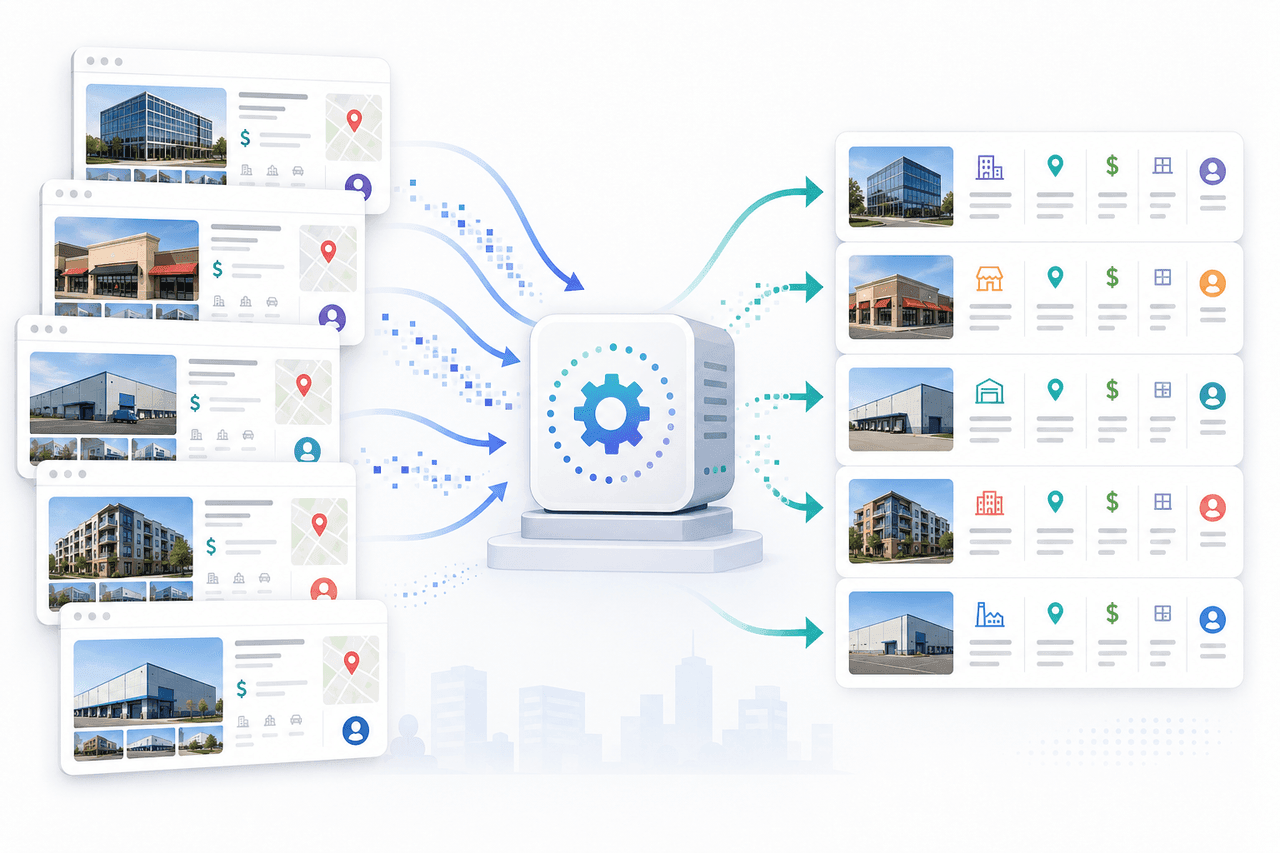
Manual LoopNet Research Does Not Scale Across Markets
Commercial real estate teams often track marketplace listings through manual searches, copied spreadsheets, and repeated checks that fall behind when prices change, listings are removed, or the same asset appears under inconsistent formats across markets.
Dynamic pages, pagination shifts, duplicate records, and missing values make fragile one-off scripts difficult to trust for screening, enrichment, or reporting workflows.
A managed workflow reviews the approved listing set first, then maps available identity, location, asset, pricing, broker, status, and observation fields into a maintainable schema for operational use.
What Nenodata Provides With a LoopNet Business Listings Scraper
Nenodata reviews representative listing URLs, target markets, publicly displayed fields, filters, validation rules, refresh needs, and delivery destinations before production collection begins.
Engagements may include listing identity, property address and location, asset and property attributes, pricing and financial signals, broker or listing attribution, status and observation metadata, and delivery formatting when those elements are publicly visible and included in the agreed schema.
Coverage and schedule are agreed during scoping. This service does not claim unrestricted marketplace access, private subscription data, or official marketplace partnership. Broader multi-source property workflows are available through the real estate data API.
Collection is limited to agreed public or permissioned listing pages and fields included in the engagement. Private, subscription-only, and restricted data remain out of scope.
LoopNet vs other listing sources
Use this page for LoopNet commercial real estate listings. Use Flippa for online-business listings, or BizQuest for US main-street businesses.
| Source | Best for | Learn more |
|---|---|---|
| LoopNet | CRE: address, property type, sqft, asking price, for sale/lease | This service |
| Flippa | Online businesses: asking price, revenue signal, category | Flippa scraper |
| BizQuest | US main-street and franchise business-for-sale listings | BizQuest scraper |
Representative Sample Output
Review an illustrative schema for listing identity, property location, asset attributes, pricing signals, broker context, status, and observation timestamps.
Illustrative example
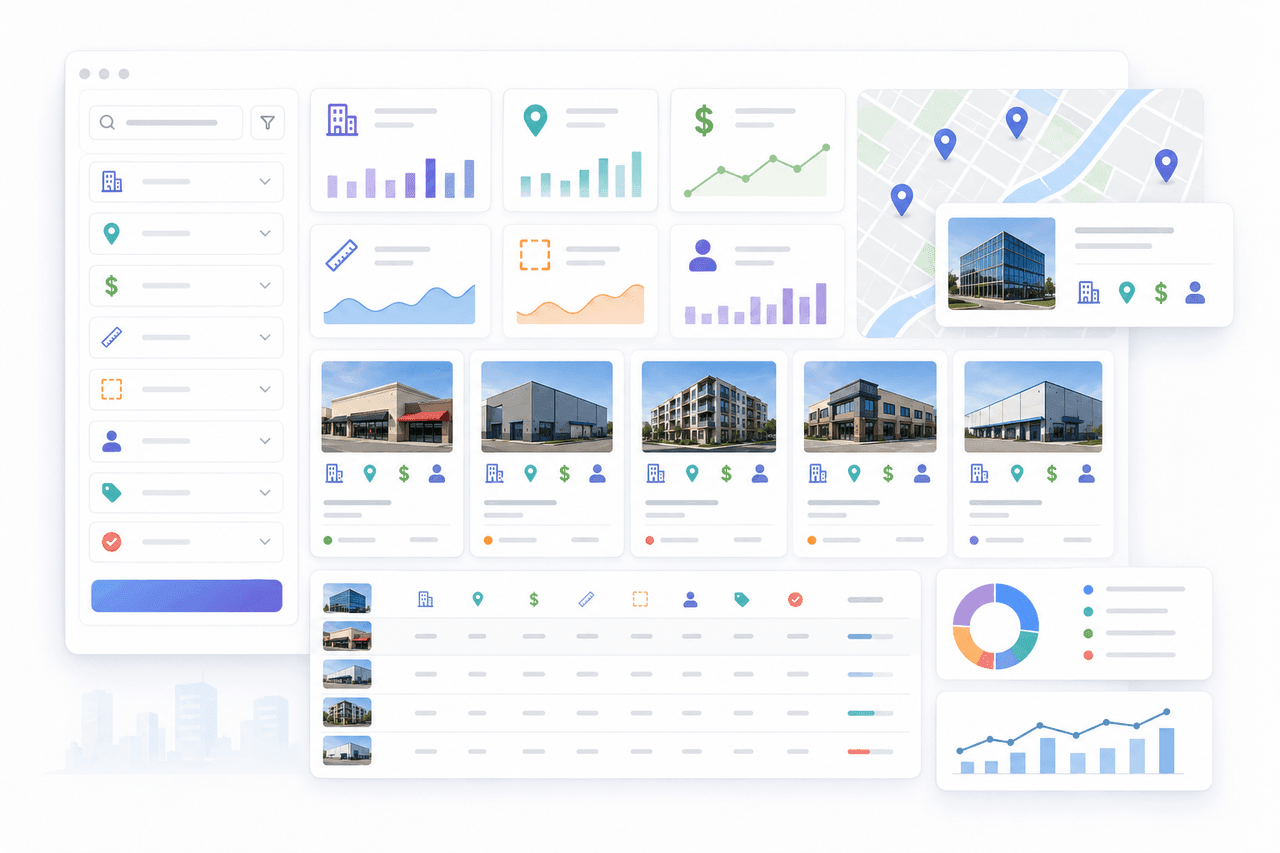
| Source URL | Listing ID | Address | City | State | Property type | Asking price | Building size | Listing status | Last seen |
|---|---|---|---|---|---|---|---|---|---|
| https://www.loopnet.com/Listing/2100-Commerce-Dr-Dallas-TX/10481201/ | 10481201 | 2100 Commerce Drive | Dallas | TX | Office | 2500000 | 12500 | For sale | 2026-08-12T15:02:18Z |
| https://www.loopnet.com/Listing/4800-Industrial-Way-Dallas-TX/10481249/ | 10481249 | 4800 Industrial Way | Dallas | TX | Industrial | null | 48000 | For lease | 2026-08-12T15:02:18Z |
JSON structure
{
  "source_url": "https://www.loopnet.com/Listing/2100-Commerce-Dr-Dallas-TX/10481201/",
  "listing_id": "10481201",
  "address": "2100 Commerce Drive",
  "city": "Dallas",
  "state": "TX",
  "postal_code": "75201",
  "property_type": "Office",
  "asking_price": 2500000,
  "price_per_sqft": 200,
  "building_size_sqft": "12500",
  "listing_status": "For sale",
  "broker_name": "North Texas CRE Advisors",
  "last_seen_at": "2026-08-12T15:02:18Z"
}
Data Fields and Output Structure
Potential fields depend on the approved listing set and agreed schema.
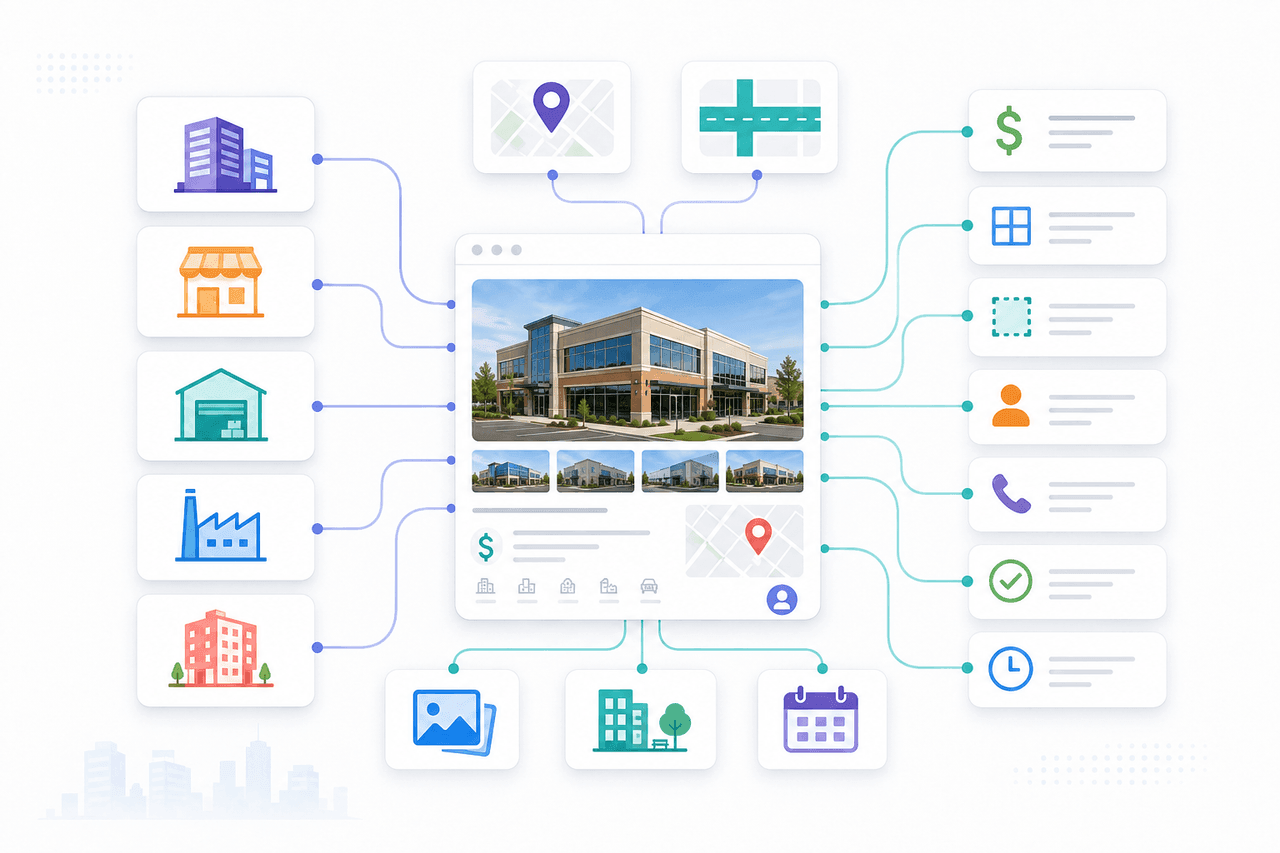
Listing identity and source metadata
Listing identifiers, source URLs, and source metadata where publicly displayed and included in scope.
Property address and location
Address components, city, state, postal code, and geographic context for market views.
Asset and property attributes
Property type, building size, and related asset attributes when shown on approved pages.
Pricing and financial signals
Asking price, price-per-square-foot, and other displayed pricing signals when present and requested.
Broker or listing attribution
Broker, agent, or listing-attribution fields where publicly visible and permitted for the use case.
Status and observation metadata
Listing status, last-seen timestamps, and change-observation fields when scoped for monitoring.
Delivery and schema metadata
Project-defined field names, null-handling rules, and delivery formatting defined during scoping.
Commercial Real Estate Use Cases
Deal screening
Acquisition teams compare structured listing identity, location, asset, and pricing fields against internal screening criteria.
Market inventory monitoring
Operators track additions, removals, and status changes for scoped commercial listing sets across target markets.
Comparable-property research
Research teams aggregate asset, size, and pricing signals for comparable-property views without rebuilding manual spreadsheets.
Brokerage intelligence
Advisory teams review broker attribution and listing presence where publicly disclosed and included in the schema.
Proptech product enrichment
Product teams load validated commercial listing records into search, mapping, or analytics applications.
Historical listing-change analysis
Data teams analyze last-seen timestamps and selected field changes when recurring delivery is in scope.
Who This Service Is For
This service is for CRE investors, brokerages, proptech platforms, corporate development teams, market researchers, and internal data teams that need structured commercial listing observations from approved public or permissioned sources.
It fits organizations that want managed sample-first scoping and schema design rather than brittle one-off collection scripts.
It is not an official marketplace API, CoStar or LoopNet partnership product, or unrestricted subscription-data access program.
How the Managed Workflow Works
The broader pattern is described in how Nenodata works and may extend through custom data pipelines.
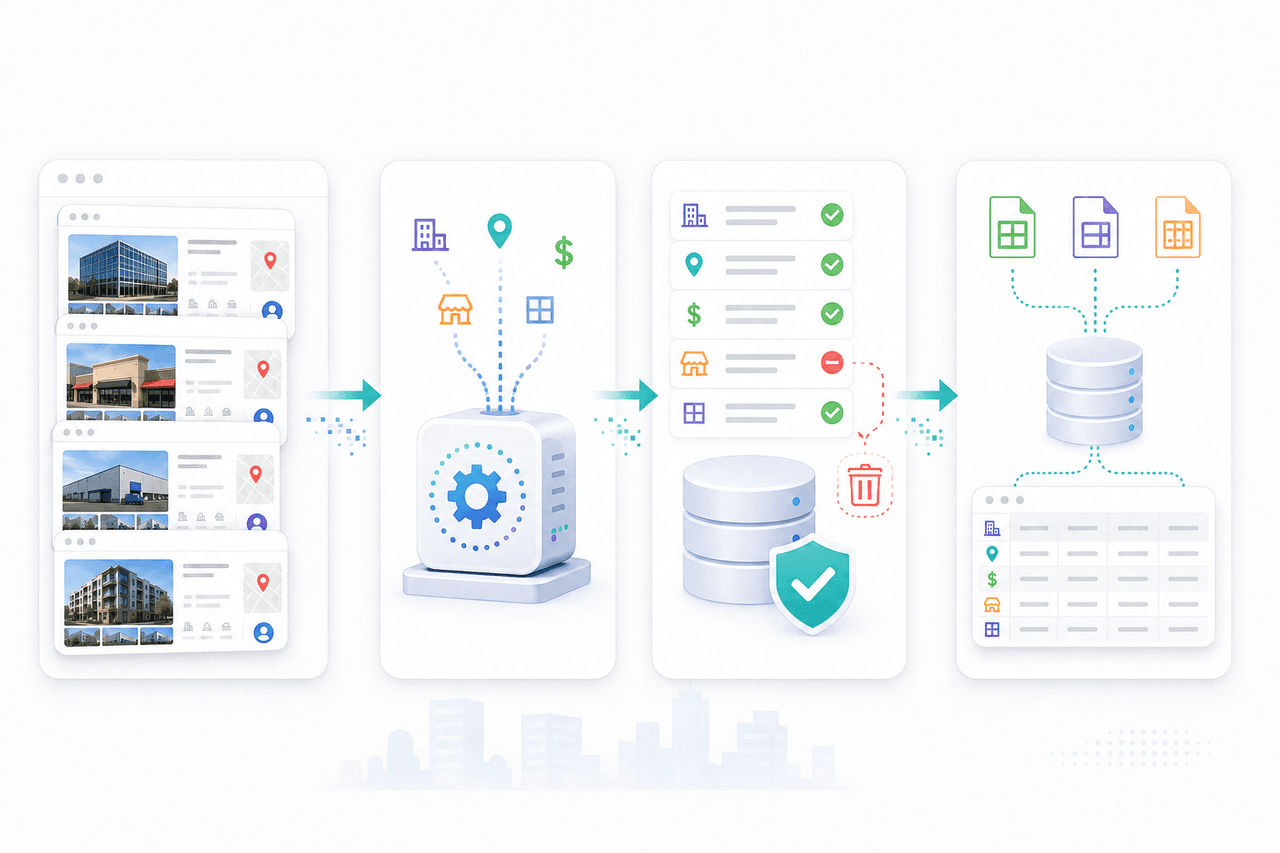
- Step 1
Share requirements
Share representative URLs, target markets, required fields, filters, delivery format, and refresh needs.
Source path, markets, and required fields are reviewed before broader collection begins.
- Step 2
Scope and collect
Nenodata configures collection against the agreed public or permissioned pages and validates a representative sample.
- Step 3
Clean and validate
Records are normalized, deduplicated where applicable, and validated so missing values stay visible rather than invented.
- Step 4
Deliver and maintain
Structured outputs are delivered through the agreed method, with maintenance included when contracted.
Why Choose Nenodata
Source-specific source review
Pages, markets, and field requests are reviewed before broader production begins.
Schema built around your workflow
Field names, null handling, and destination mapping are planned around your CRM, warehouse, or application schema.
Managed data quality
Records are normalized and reviewed against agreed rules so teams receive usable structured output rather than raw page dumps.
Maintenance beyond a one-off script
When included in scope, Nenodata maintains agreed handling for source-layout and delivery changes.
Clear access boundaries
Work stays limited to approved public or permissioned sources and intended uses. Unsupported access remains out of scope. enterprise web scraping may support broader extraction programs where appropriate.
Delivery and Integration Options
Delivery formats may include CSV, Excel, JSON, API, webhook, system integration, database delivery, and warehouse delivery when supported for the engagement.
Review Nenodata API documentation for packaging context. Database and warehouse destinations are agreed during scoping.
- CSV
- Excel
- JSON
- API
- Webhook
- System integration
- Database delivery
- Warehouse delivery
Related: BizQuest business listing scraper · Flippa scraper · Benchmark International listing scraper · James Edition real estate scraper
Frequently Asked Questions
Nenodata is not affiliated with LoopNet or CoStar. This service describes a managed workflow for agreed public or permissioned commercial listing pages.
Review Your Listing Data Requirement
Share representative listing URLs, required fields, target markets, filters, refresh needs, intended use, and preferred delivery format so Nenodata can scope the next step.
Include business contact details when you contact Nenodata.